
Free WordPress plugin: WhatsApp Live Chat (with optional Pulse + Ping)
I’ve just released a new free WordPress plugin under our own branding, Online Media Direct WhatsApp Live Chat. The goal is simple, make it effortless for visitors to start a conversation while they are still on your site and still ready to buy, book, or ask the question that turns into a lead. Most sites rely on forms that get abandoned or email addresses that never get used, WhatsApp is already where people are comfortable messaging, so putting it one tap away can lift enquiries without adding friction or complexity.
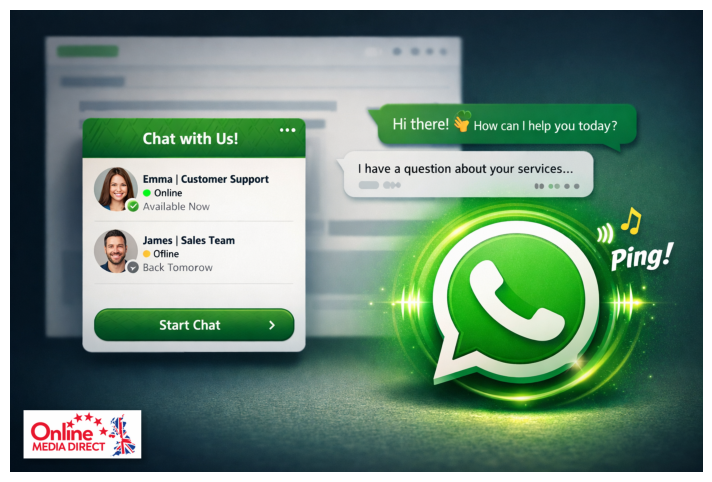
The plugin gives you a clean floating WhatsApp widget that you can run as a direct click-to-chat button or as a small panel that shows one or more team members, useful if you want Sales and Support, or different regions, or a main contact plus a backup. You can set working hours, add a default message that pre-fills in WhatsApp (with handy placeholders like page title and page URL), and place buttons anywhere using a shortcode if you want a “Chat on WhatsApp” button inside service pages, pricing pages, or footers. If you run WooCommerce, there is also an optional placement so customers can message you from product pages at the moment they are deciding. It is designed to be lightweight and practical, no bloat, no unnecessary external libraries, just the features most small business and local service sites actually need.
Two attention features are included for anyone who wants the widget to be noticed a little more. First is a subtle pulse animation, it gives the button a gentle nudge so the eye catches it without screaming for attention, and it respects accessibility settings so people who prefer reduced motion are not forced into extra animation. Second is an optional sound ping that can add a small “you can chat now” cue for visitors, again kept subtle and designed for real websites rather than gimmicks. Both features are completely optional and can be switched on or off in the settings, so you can keep things quiet and minimal, or add a touch more visibility depending on your audience and brand tone.
If you want to try it, install it from WordPress as you would any other plugin, then head to Settings → WhatsApp Live Chat to add your number or team members and pick your layout. If you manage multiple sites or client sites, it is a quick win to deploy because setup is straightforward and the widget can be tuned per site without touching code. If you would like a hand setting it up, or you have a specific feature request (for example more advanced targeting rules, different button styles, or more scheduling options), reply to this email and tell me what you are trying to achieve and I’ll point you in the right direction.
Download it here: DOWNLOAD LINK
Any feedback is genuinely useful, it will shape the next updates.
Thanks,
Garry Pickles
Managing Director, Online Media Direct Ltd