
Why Every Tradesperson Should Import Reviews Into their WordPress Website

Why Every Tradesperson Should Import Their Checkatrade, Google, Facebook and Trustatrader Reviews Into Their WordPress Website

For many tradespeople, Trade sites Checkatrade and Trusatrader like has become one of the most valuable sources of customer trust. It can take years to build hundreds of positive reviews, establish a strong reputation and demonstrate the quality of your workmanship.

The question is this.

Why leave your best marketing asset on somebody else’s website?

Every five-star review you have earned should also be working for your own business website. Instead of relying solely on visitors finding your Checkatrade profile, you can display those same reviews throughout your WordPress website, increasing trust, improving conversions and strengthening your search engine optimisation.

Your Reviews Are a Business Asset

Many business owners think of reviews simply as testimonials.

In reality, they are one of the most valuable digital assets your company owns.

Every review represents another satisfied customer, another successful project and another piece of social proof that helps persuade future customers to contact your business.

If you have accumulated hundreds of Checkatrade reviews over several years, you have already invested thousands of pounds delivering the customer service that created those reviews.

Why not make them work harder?

Keep Visitors on Your Website

One of the biggest mistakes businesses make is encouraging visitors to leave their own website.

A potential customer lands on your website looking for a quotation. Instead of keeping them engaged, you direct them away to Checkatrade to read your reviews.

Once they leave your website, they are surrounded by competing businesses, advertisements and alternative contractors.

Every click away creates another opportunity to lose an enquiry.

By importing your Checkatrade reviews into your own WordPress website, visitors remain exactly where you want them while still seeing the reputation you have worked so hard to build.

Improve Website Conversion Rates

Customer reviews remove doubt.

When visitors can immediately see genuine customer experiences alongside your services, they gain confidence in your business far more quickly.

Displaying reviews throughout your website helps build credibility on:

  • Homepages
  • Service pages
  • Location landing pages
  • Quote request pages
  • Contact pages

The more reassurance you provide during the buying journey, the more likely visitors are to make contact.

Reviews Can Help Your SEO

Many business owners overlook another major benefit.

Customer reviews are unique content.

Every review contains naturally written descriptions of your services, locations and customer experiences.

If customers regularly mention services such as driveway cleaning, patio cleaning, roof cleaning or pressure washing alongside towns you serve, that content reinforces the relevance of your website for both visitors and search engines.

Instead of leaving all of that valuable content on another platform, importing your reviews allows your own website to benefit from years of customer feedback.

Protect Your Reputation

Third-party platforms constantly evolve.

Features change.

Layouts change.

Algorithms change.

Visibility changes.

Although Checkatrade remains an excellent platform, your business should always maintain its own independent copy of every review you have earned.

Importing your reviews into your WordPress website ensures your reputation remains part of your own digital assets rather than existing solely on a third-party platform.

Introducing Review Vault for WordPress

At Online Media Direct, we developed Review Vault for WordPress to make review management simple.

Review Vault allows businesses to import reviews from platforms such as Checkatrade directly into WordPress and display them professionally across their website.

Instead of manually copying reviews one by one, businesses can import hundreds of reviews in minutes while maintaining full control over how they are displayed.

You can organise reviews by service, location or source, highlight featured testimonials and create a professional review library that strengthens both customer confidence and your website.

Start Owning Your Reputation

Your Checkatrade profile will always remain an important part of your online presence.

However, your own website should become the centre of your marketing strategy.

By importing your reviews into WordPress, you gain greater control, improve user experience, increase customer confidence and make one of your most valuable business assets work even harder.

If your business has spent years building an outstanding reputation on Checkatrade, now is the perfect time to bring those reviews home and let them help generate more enquiries from your own website.
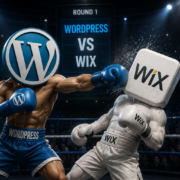
WordPress vs Wix vs Squarespace: Which Wins for Lead Generation?

If your website is simply an online brochure, almost any website builder can get the job done. However, if your website exists to generate leads, enquiries, phone calls, quote requests and sales, choosing the right platform becomes a much more important decision.

Three of the most popular website platforms available today are WordPress, Wix and Squarespace. All three allow businesses to create attractive websites without needing advanced technical knowledge. All three provide templates, hosting and tools designed to help businesses establish an online presence.

The real question is not which platform looks best. The real question is which platform gives your business the greatest opportunity to generate leads and grow over the long term.

When viewed through that lens, WordPress stands apart from the competition.

The Open Source Advantage

The biggest difference between WordPress and platforms such as Wix or Squarespace is that WordPress is open source software. While that may sound like a technical detail, it is actually one of the main reasons WordPress has become the dominant website platform in the world.

Open source means the software is publicly available for anyone to inspect, improve and develop. Rather than relying on a single company to decide which features are available, WordPress benefits from contributions from thousands of developers around the globe. Every day new plugins, integrations, themes and improvements are being created by specialists working across different areas of web development.

This has resulted in a platform that evolves at an incredible pace. Whether the latest trend is artificial intelligence, ecommerce automation, advanced analytics, customer relationship management systems or search engine optimisation, WordPress users often gain access to new technology much faster than businesses using closed website builders.

For business owners, this creates a major advantage. Instead of being limited by the roadmap of a single software company, WordPress gives you access to a worldwide ecosystem of developers constantly improving the platform. More developers means more innovation, more flexibility and ultimately more opportunities to generate leads.

The Power of Numbers

There is a simple reason WordPress continues to dominate the market. It has more users, more developers and more resources than any other content management system.

When millions of websites are using the same platform, developers naturally focus their attention there. New software integrations are usually developed for WordPress first. New marketing tools often launch WordPress versions before supporting other platforms. Most web development agencies specialise in WordPress because that is where demand exists.

This creates a positive cycle. More users attract more developers. More developers create more tools. More tools attract more businesses. Over time, the gap between WordPress and its competitors continues to grow.

For businesses investing in lead generation, this matters. The larger the ecosystem, the easier it becomes to find solutions to almost any challenge you encounter online.

SEO Flexibility Matters

Lead generation starts with visibility. If potential customers cannot find your website, they cannot become enquiries.

This is one of the areas where WordPress consistently excels. Search engine optimisation professionals have relied on WordPress for years because it offers a level of control that many other platforms struggle to match.

With WordPress, you can optimise every aspect of your website. From page titles and meta descriptions to schema markup, internal linking structures, XML sitemaps and page speed improvements, the platform provides almost unlimited flexibility.

Platforms such as Wix and Squarespace have improved significantly in recent years and offer many SEO features. However, users still operate within the limitations of those systems. If a particular feature does not exist or a custom requirement arises, options can quickly become restricted.

WordPress allows businesses to implement highly advanced SEO strategies without being constrained by the platform itself. For companies competing in competitive local markets, that flexibility can make a significant difference.

More Integrations Mean More Leads

Modern lead generation rarely relies on a website alone. Businesses now use CRM systems, email marketing software, booking systems, live chat tools, review platforms, automation software and analytics tools.

WordPress integrates with virtually all of them.

Because the platform is open source and widely adopted, software companies actively build WordPress integrations. Whether you use HubSpot, Mailchimp, Google Analytics, WooCommerce, WhatsApp, Stripe or hundreds of other business tools, integration is usually straightforward.

This flexibility allows businesses to build complete lead generation systems rather than simply operating a website. Visitors can be tracked, nurtured, followed up and converted more efficiently.

When lead generation is the objective, these integrations often become just as important as the website itself.

Ownership and Control

One often overlooked consideration is ownership.

When using Wix or Squarespace, your website exists entirely within their ecosystem. You are effectively renting a platform and operating within the rules set by that provider.

With WordPress, you own the website. You control the hosting. You control the files. You control the database. You choose the plugins, developers and service providers.

This may not seem important on day one. It becomes very important after several years of investment.

Businesses frequently spend thousands of pounds on SEO, content creation, advertising and website improvements. Having complete ownership ensures you remain in control of those assets and are not tied to a particular provider.

Scalability for Growing Businesses

Many businesses begin with a simple website and gradually expand.

Perhaps they add ecommerce functionality. Perhaps they introduce online booking systems. Perhaps they launch a customer portal or membership platform.

WordPress handles this growth exceptionally well.

A small brochure website can evolve into a sophisticated ecommerce platform, learning management system, business directory or lead generation machine without requiring a complete rebuild.

This scalability is one of the reasons WordPress powers everything from small local businesses to major global organisations.

Businesses rarely regret having too much flexibility. They often regret not having enough.

WooCommerce and Ecommerce Growth

For businesses selling products online, WooCommerce adds another significant advantage.

WooCommerce is built specifically for WordPress and has become one of the most popular ecommerce systems in the world. It provides complete control over products, categories, customer journeys, checkout processes and search engine optimisation.

Unlike many hosted ecommerce solutions, WooCommerce gives businesses the freedom to customise virtually every aspect of the online shopping experience.

This becomes particularly valuable when integrating with Google Shopping, product feeds, stock management systems and advanced marketing campaigns.

Many businesses choose WordPress specifically because WooCommerce allows them to grow without platform restrictions.

Easier to Find Help

Another practical benefit of WordPress is the availability of expertise.

Because WordPress is so widely used, finding developers, designers, SEO consultants and support specialists is relatively straightforward.

If you encounter a problem, there are thousands of professionals capable of helping.

The same cannot always be said for more niche platforms. The larger WordPress ecosystem creates greater competition among service providers, which often results in better support and more competitive pricing.

For businesses investing in long-term growth, having access to a large talent pool provides significant reassurance.

The Verdict

Wix and Squarespace are both capable website builders. For personal projects, startup websites and businesses requiring a simple online presence, they can be excellent choices.

However, when lead generation, search engine visibility and long-term growth become priorities, WordPress continues to stand above the competition.

The reason is surprisingly simple.

Open source wins.

More developers create more innovation. More innovation creates better tools. Better tools create better websites. Better websites generate more leads.

WordPress did not become the world’s most popular website platform by accident. It earned that position through flexibility, scalability, ownership and an unrivalled global ecosystem of developers and businesses.

If your objective is to build a website that generates enquiries today while remaining capable of supporting your business five years from now, WordPress remains the platform to beat.

Payproof Plugin launched – Win more chargebacks with PayProof

We’ve just launched something new for WooCommerce store owners.

PayProof — a plugin that automatically builds a full evidence pack for every order.

👉 View PayProof
https://payproof.co.uk

✅ Chargeback defence / evidence automation


📄 What is an evidence pack?

When a customer disputes a payment or files a chargeback, you’re asked to provide proof.

That usually means pulling together:

  • order details

  • customer information

  • IP address

  • activity logs

  • terms acceptance

  • timelines

Manually.

It’s slow, messy, and easy to miss things.


⚡ What PayProof does

PayProof automatically collects and organises all of this for you.

For every order, it creates a structured evidence pack including:

  • Order data and transaction details

  • Customer IP and device information

  • Terms & conditions acceptance

  • Event timeline (order, payment, status changes)

  • Supporting order notes

All in one place.

Ready when you need it.


🛡️ Why it matters

When a dispute happens, time matters.

With PayProof:

  • no scrambling for data

  • no missing details

  • no guesswork

Just clear, organised evidence you can use immediately.


💡 Built for WooCommerce

PayProof works in the background from the moment it’s installed.

No complicated setup.

Just install, activate, and every order becomes evidence-ready.


🚀 Be ready before disputes happen

Most businesses only think about evidence after a chargeback.

PayProof prepares you before it happens.


👉 View PayProof
https://payproof.co.uk


If you run WooCommerce and want to protect your revenue, this is worth a look.

Garry
Online Media Direct Ltd

The next 90 days in Internet marketing (2 March to 31 May 2026)

What’s changing in SEO, WordPress, WooCommerce and Google Ads and what to do about it

The next 90 days will reward boring competence. Clean tracking. Fast pages. Safe updates. Content built for the surfaces that are actually sending traffic. If your marketing has felt “soft” lately, it’s usually not a creativity problem, it’s a measurement and platform-change problem. That’s the theme from March through May 2026.

Four moving parts are colliding at once:

  1. WordPress core is about to move with WordPress 7.0 scheduled for 9 April 2026 and it introduces changes that can affect how the editor renders and how plugins interact with admin screens.

  2. WooCommerce is about to move with WooCommerce 10.6 scheduled for 10 March 2026 and it includes performance and block refinements plus specific behaviour changes like default lazy-loading in Product Image blocks.

  3. Google’s discovery and SERP layouts are shifting. Google launched a February 2026 Discover core update on 5 February 2026 and confirmed rollout completion on 27 February 2026. In parallel, Google is preparing EU search-result experiments that may change how visibility is distributed in certain verticals, especially travel and hospitality style queries.

  4. Paid media measurement is still being rebuilt around consent and first-party data, while Google is also pulling creator marketing deeper into the Ads product with Creator Partnerships Hub and Partnership ads.

So what do you do with that?

This article is a practical plan you can run across your marketing stack in the next 90 days. If you only do one thing, do this: treat March as “measurement and performance month” then treat April as “platform updates month” then treat May as “distribution month” (SEO surfaces, creators and diversification). That sequencing reduces risk and it keeps you shipping.


March 2026: fix measurement first so every click counts

If your tracking is wrong, you can’t trust the campaign data and you can’t trust the automated bidding. The result is the worst kind of waste: you pay for traffic, then you pay again to “learn” from noisy data.

1) Consent Mode is now operational, not optional

For UK and EU businesses, you need a consent signal that is consistent and testable. Google’s own Consent Mode reference spells out consent types such as ad_storage, analytics_storage, ad_user_data and ad_personalization. Importantly, Google explicitly ties ad_user_data to measurement use cases like enhanced conversions and tag-based conversion tracking.

What to do this week (two-hour audit):

  • Open Tag Assistant and confirm consent states change correctly on accept and reject. Google’s verification guidance literally tells you what parameters to check.

  • Ensure the default consent state is set, then updated after a user choice (Google’s developer guide is clear on the “default then update” model).

  • Check for double-tagging: GA4, Ads and GTM misfires are common after “quick fixes”.

What success looks like by end of March:
Your conversion numbers won’t necessarily go up overnight, but they stop behaving like a random number generator. Your “top campaigns” don’t change every day and smart bidding stops oscillating.

2) Enhanced Conversions is the fastest win for lead gen and ecommerce measurement

Enhanced Conversions uses hashed first-party data from conversion pages to improve conversion measurement accuracy. Google describes it as capturing hashed, user-provided customer data and matching it in a privacy-safe way.

Where this matters most:

  • Lead gen forms (trades, B2B services, local service businesses)

  • Checkout completion (WooCommerce stores)

  • Any account where “conversion loss” has been creeping up

What to do this week:

  • Implement Enhanced Conversions on the conversion page templates (thank-you pages, lead form confirmations).

  • Confirm your data collection is minimal and relevant. You are not trying to hoover up everything, you are trying to restore measurement and maintain compliance.

  • Run a controlled before/after comparison over 14 days with identical budgets, then check conversion modelling stability.

If you run Google Ads in 2026 without Enhanced Conversions and a correct consent implementation, you’re flying with instruments that flicker.

3) Landing pages: speed and clarity beat gimmicks in March

Before you scale spend or content, get your money page experience tight:

  • One page, one job (call, quote request, add to cart)

  • Remove friction (forms that feel like a tax return)

  • Prioritise Core Web Vitals type basics: image sizing, caching, lazy-loading, preloading critical assets

This sets you up for April’s WordPress and WooCommerce changes without chaos.


Late March into April 2026: build the paid creative pipeline, then test creator-led ads

Google is not hiding the direction of travel: creator marketing is being productised inside Ads.

4) Creator Partnerships Hub and Partnership ads are becoming a serious lever

Google calls Creator Partnerships Hub “a new central place in Google Ads” for managing creator collaborations, including discovery, reporting across paid and organic and creator search and outreach.
Partnership ads powered by BrandConnect let advertisers promote YouTube creator videos in ad campaigns.

This matters for two reasons:

  • It reduces the friction of creator outreach and measurement

  • It makes creator content a scalable performance channel instead of a messy PR exercise

What to do in April (two-stage test):

  1. Stage 1 (7 days): Run a small creator-style creative test without creators. Film “creator format” assets yourself: face-to-camera, product or service demonstration, before/after, FAQs, short proofs.

  2. Stage 2 (14 days): If Stage 1 beats your baseline CPA or ROAS, run a Partnership ads test with a local creator or niche creator that matches your customer profile.

How to choose creators in a UK SME context:

  • Location relevance beats fame for local services

  • Demonstration beats vibe for ecommerce

  • Trust cues beat polish (show the work, show the process, show outcomes)

You’re not paying for celebrity. You’re buying credibility at scale.


April 2026: platform updates month (WordPress 7.0 and WooCommerce 10.6)

April is where good businesses quietly win because they update safely while competitors break things.

5) WordPress 7.0 is scheduled for 9 April 2026. Treat it as a project, not a button

WordPress.org’s own Beta 2 post states the scheduled final release date for WordPress 7.0 is 9 April 2026 and it highlights a new Connectors UI for managing external AI connections in wp-admin.

There is also a documented change around the editor: WordPress core has a post on “Iframed editor changes in WordPress 7.0” and notes that editors have been iframed already while the post editor is part of this shift.

What to do before you update:

  • Clone production to staging

  • Update plugins and themes in staging first

  • Click through every revenue path: contact forms, checkout, email confirmations, analytics events

  • Specifically test any custom admin UI your site relies on (page builders, custom metaboxes, bespoke blocks)

Why the Connectors UI matters even if you “don’t use AI”:
Anything that centralises external connections becomes a governance surface. You want to know what is connected, who can connect things and where the logs are. Even if you never touch it, your stack should be auditable.

6) WooCommerce 10.6 is scheduled for 10 March 2026. If you haven’t done it yet, don’t delay

WooCommerce’s developer update confirms 10 March 2026 as the final release date.

There are also specific performance-related behaviour changes like product images in the Product Image block being lazy-loaded by default starting with WooCommerce 10.6.

Lazy-loading is usually positive but it can change how images appear during loading states, it can affect LCP measurement and it can expose theme quirks. So test it.

WooCommerce 10.6 checklist for store owners:

  • Checkout blocks and payment gateways: test 5 full orders end-to-end in staging

  • Shipping rules: edge cases (postcode restrictions, free shipping thresholds)

  • Product pages: image galleries, zoom, variation switching

  • Tracking: GA4 purchase events, Ads conversion tags, server-side events if used

  • Performance: compare product page load and LCP before and after

If your WooCommerce store makes money every day, treat upgrades like you’d treat changing the till system in a busy shop. Rehearse it.


May 2026: SEO distribution shifts (Discover, EU SERP changes and what it means for you)

May is where you stop pretending “SEO” means ten blue links only. It doesn’t.

7) Google Discover is in play and it just had a confirmed update

Google’s Search Central blog announced the February 2026 Discover core update on 5 February 2026. Industry tracking and reporting also notes it completed rollout on 27 February 2026.

What this changes for content planning:

  • Discover rewards compelling topics and packaging, not just keyword targeting

  • Consistency matters. One good article is not a strategy

  • Relevance and local expertise are increasingly important in how content performs in these surfaces (and clickbait is a long-term loser)

Practical Discover-ready content moves for UK businesses:

  • Build a “90-day newsroom” for your niche: weekly commentary posts tied to customer questions, prices, regulations, seasonal demand

  • Use real photos where possible (job photos, product shots, behind the scenes). Keep them sharp and well framed

  • Put your best proof above the fold: outcomes, timelines, case studies, constraints, what you do and what you refuse to do

  • Refresh top performers: update the date, add new sections, add new FAQs, improve images, fix internal links

Discover is not something you “do once”. It is a publishing habit.

8) EU SERP layout changes are a reminder to diversify

Reuters reports Google plans to test search result changes in Europe under DMA pressure, including giving more visibility to rival vertical services especially for “hotels, flights and restaurants” style queries. The Verge summarises the same direction of travel: more prominence for rivals and phased rollout across Europe.

Even if you are not a travel business, the lesson is bigger: layout changes can move your clicks without your rankings changing. So May is diversification month.

Diversification moves that actually help:

  • Build an email list that is not rented attention

  • Strengthen brand search demand (content and social that makes people search your name)

  • Use YouTube and short video for “how it works” content (then repurpose into ads)

  • Build local citations and review velocity for local service queries

  • Create comparison pages and alternatives pages where appropriate (high-intent pages)

The goal is simple: no single Google surface should be able to wipe out your pipeline overnight.


Security and resilience: the quiet multiplier across the whole quarter

Updates bring benefits and risk, and attackers love slow-moving sites.

A recent example: Patchstack reported an SQL injection vulnerability in the “Quiz and Survey Master (QSM)” plugin affecting 40k+ sites and advised updating to a fixed version.

You don’t need to run that plugin to learn the lesson. The lesson is that WordPress sites are ecosystems of third-party code. If you want growth, you need a minimum viable security routine.

Minimum viable security routine (set it and keep it):

  • Weekly updates on staging, monthly on production (or faster if critical)

  • Remove unused plugins and themes

  • Enforce least-privilege user roles

  • Use reputable security monitoring and alerts

  • Keep backups and practise restore

Security is not a fear story, it is how you avoid losing a month of marketing progress to a preventable incident.


The 90-day scoreboard: what to track weekly

If you want to know whether the plan is working, track a short set of metrics weekly:

  • Leads or orders (the real number)

  • Cost per lead or cost per acquisition (by campaign type)

  • Conversion rate (sitewide and on the main money pages)

  • “Tracked conversions” vs “actual outcomes” gap (CRM or order records)

  • Top landing pages by revenue contribution

  • Search Console: clicks and impressions for your top topics

  • Site performance: LCP and page speed on your top pages

If any of these lines drift, you act fast. The point of weekly tracking is not reporting, it’s correction.


A clean 90-day action plan you can follow

If you want the simplest version, here it is:

Week 1–2 (March): Consent Mode audit, Enhanced Conversions, landing page friction fixes.
Week 3–4 (late March): Creative refresh, creator-format tests, rebuild your offer pages.
Week 5–6 (April): WordPress 7.0 staging rehearsal, WooCommerce 10.6 checks and performance review.
Week 7–9 (May): Discover-ready publishing cadence, refresh top pages, improve internal linking and media.
Week 10–12 (late May): Diversification sprint: email capture, YouTube pipeline, local SEO reinforcement, creator partnership pilot.


If you want Online Media Direct to run this for you

A sensible “done with you” stack for the quarter looks like:

  • Tracking and consent implementation audit, then Enhanced Conversions rollout

  • WordPress 7.0 and WooCommerce 10.6 staging rehearsal with a pass/fail report

  • A 12-week SEO and Discover content plan with internal links mapped to revenue pages

  • A Google Ads creative refresh and a creator partnership pilot with strict measurement

If you want, paste your main service pages and your primary conversion action (calls, quote forms or checkout) and I’ll tailor this plan to your exact site structure and niche.

Take your website to the GYM

🔧 When did you last improve your website?

🏋️ Let’s take your website to the gym

Quick question, when was the last time you made a meaningful improvement to your website or online setup?
Most small businesses treat their website like a sign above the door, set it up once and hope it keeps working, the problem is your competitors keep upgrading while Google keeps changing and customer expectations keep rising.
Your website is an asset you own
Your website is the only “lead platform” you fully control.
You own the domain, the pages, the content, the tracking, the conversion path and the data.
Compare that to third-party lead sources.
Trade directories, lead sellers and “request a quote” platforms can be useful, but you do not control the rules, you do not own the audience and you can lose the tap overnight.
Worse, you can end up paying for 2nd-hand, 4th-hand, 6th-hand leads that have been sold to multiple businesses, price-shopped into the ground and stripped of urgency.

🧠 Quick question, when was your last website upgrade?

Direct leads are different.
They come to you first, they are higher intent and they usually convert better because you are not one of five quotes in a race to the bottom.
The uncomfortable truth
If you have never experienced a regular flow of direct leads from your website, you have to ask:
Is your online presence being actively improved, or just passively “maintained”?
A website that gets results is not “done”.
It is trained.
It gets stronger through small, consistent upgrades.

🧲 Why your site isn’t producing direct leads (yet)

A simple self-audit (2 minutes)
When was the last time you:
  • Added a new piece of content that answers a real customer question
  • Improved a key page to convert better (clear offer, proof, strong call-to-action)
  • Tightened up your enquiry flow (forms, click-to-call, WhatsApp, booking, follow-up)
  • Built trust signals (reviews, case studies, before/after, accreditations, guarantees)
  • Checked mobile speed and usability (most leads now start on phones)
  • Confirmed tracking is correct (so you know what is working and what is leaking)
If the honest answer is “not sure” or “a long time ago”, that alone explains why direct leads feel inconsistent.
What “direct lead growth” actually looks like. At Online Media Direct Ltd we put your website on a practical growth program, the goal is simple:
Generate a reliable flow of direct enquiries from your own online asset.
That typically means:
  • Content growth: new pages and FAQs that match what people search for in your area
  • Conversion upgrades: clearer messaging, stronger CTAs, better layout and trust proof
  • Local visibility: improvements that help you show up for local searches consistently
  • Measurement: tracking and reporting so decisions are based on numbers not guesses
  • Compounding: monthly improvements that stack up over time
Think of it like taking your website to the gym.
You do not “train” once.
You train consistently and the results compound.

📈 Your website should be getting stronger every month

If you want a quick win
Reply to this email with GYM and I’ll run a quick website fitness check and send back:
The top 3 improvements that will move enquiries fastest
The biggest lead leak we can fix immediately
A simple plan for building a steady flow of direct leads.

WordPress Wins the UK CMS market share race in 2026

  • UK numbers, plus the commercial reasons WordPress keeps winning.
  • Open source ownership, bigger ecosystem, WooCommerce-ready.
  • If you ever want to scale, start on the standard.

If your website is still “built by an IT guy”, “just a few HTML pages”, or locked into a closed builder you don’t fully control, 2026 is the year to fix it.

Here’s the simplest reason: WordPress is the default standard for a reason. It’s the most-used CMS on the web, and in the UK it dominates the mainstream options. When you choose the platform the market standardises on, you buy yourself four things: choice, leverage, speed, and lower long-term cost.


UK platform reality (not opinions)

On .uk websites where a CMS is detected, the leading platforms break down roughly like this:

WordPress: 58.5%
Shopify: 9.9%
Wix: 8.9%
Everyone else combined: ~22.7% (Squarespace, Joomla, Drupal, Webflow, and hundreds more)

So if you want the “safest” option for hiring, support, integrations, and future-proofing, the market is telling you what it picked.


Why WordPress beats closed builders for most UK firms

1) It’s open source = real ownership

With WordPress you’re not renting a walled garden. You can move hosts, move agencies, change designs, add features, and keep your data without being boxed in by a vendor roadmap.

Control and portability is the core advantage.

2) Bigger ecosystem = faster results

Because WordPress is the world’s most-used CMS, it has:

  • more developers to hire
  • more agencies that can support it
  • more plugins and integrations (marketing, SEO, bookings, CRM, analytics, compliance)
  • deeper documentation and community knowledge

When something breaks or you need a feature, you’re not waiting for a platform to “maybe ship it”.

3) WooCommerce makes it an all-round system in 2026

If you ever want to sell online (even a small catalogue, payments, bookings, subscriptions, click & collect), WooCommerce turns WordPress into a full eCommerce platform without forcing you into an expensive enterprise stack.

And if you don’t need eCommerce today, you still have the option tomorrow without rebuilding from scratch.

4) Easier day-to-day management

For non-technical staff, WordPress typically wins on:

  • editing pages/posts quickly
  • media uploads
  • permissions and user roles
  • structured content
  • simpler handover/training

A novice can become competent fast, especially with a clean setup.


The practical question

Do you want your website to be: A) A locked product you rent
or
B) A business asset you control

If you want B, WordPress is usually the most commercially sensible route.

If you reply with the word AUDIT, I’ll send back a quick checklist of what you’d need for a clean WordPress build (and the common traps to avoid), plus a simple migration plan if you’re currently on another platform.

Internet Marketing in 2026: Stop Guessing, Find the Leaks, Fix the Fundamentals

If you run a small business in the UK, marketing in 2026 is not about tricks. It is about awareness. Most owners do not have enough of it. They see likes, impressions, “traffic” and they assume progress. Meanwhile the real world is happening elsewhere, competitors are quietly taking the enquiries.

Search engines are still the main battleground. But the rules keep shifting. In December 2025 Google rolled out a core update that ran for over two weeks. That is not a headline. That is a reminder. Your rankings can move whether you touched your site or not, so the only defence is fundamentals and measurement.

Google is also simplifying the search results page. Features come and go, layouts change and visibility moves around. If you are relying on one fragile source of traffic, you are betting your business on decisions you do not control.

So what should a small business owner do in January 2026. Start with the leaks.

Leak 1: Your WordPress site is “fine” until it is not

WordPress sites fail quietly. Forms break. Updates break layouts. Plugins create security risk. The site can be down and you do not notice. This is not drama. This is what happens when the basics are not managed.

A proper setup includes safe updates, backups you can actually restore, monitoring, and conversion tracking that survives changes. If you cannot answer “how would I roll back a bad update today” then you are not running a website. You are renting luck.

Leak 2: You are paying for attention you cannot convert

Google Ads can work. But small accounts leak money fast when the foundations are messy. Google keeps pushing more automation and more inventory. If your tracking and landing pages are weak, automation just scales the waste.

The January 2026 play is simple.

  • Tighten measurement, calls and forms count as conversions
  • Fix landing page speed and clarity before you “scale”
  • Separate brand protection from new customer acquisition
  • Add negatives and exclusions like your cash depends on it, because it does

Leak 3: Local search is still the easiest win and most businesses ignore it

For trades, clinics, services, hospitality, local search is not optional. Google Business Profile quality, reviews, category choices, photos, services, and consistent name address phone data. This is unglamorous work. It wins anyway.

Most businesses do not lose because they lack a “strategy”. They lose because competitors are consistent and they are not.

Leak 4: Duplicate and thin content is a bigger risk in an AI-flavoured search world

Search is more summarised now. Pages get compared and compressed into answers. If your site is full of near-identical pages, repeated location templates, or copy-and-paste service text, you are telling the engines you do not add value.

In 2026 the ecosystem is moving toward evaluation at scale and thin content stands out.

The 2026 checklist that actually matters

If you do nothing else this month, do this:

  1. Confirm your forms work and you receive every enquiry
  2. Confirm backups exist and can be restored
  3. Measure calls, forms, bookings, sales, not just page views
  4. Improve mobile speed and reduce page bloat
  5. Build proper local pages and strengthen your Google Business Profile
  6. Stop gambling with cheap backlink packages, audit what you have
  7. Create one clear offer per page and remove distractions

If you want help, the right offer is not “SEO” or “a new website”. It is a teardown. A plain-English scorecard that tells you what is broken, what it is costing you and what to fix first. Then you choose the fix path, WordPress upgrade, local SEO, Ads improvements, WooCommerce rebuild, or a mixture.

In 2026 the winners are not the loudest. They are the most aware. They find the leaks and they close them.

The Website Danger Zone Warning.

⛔ Rankings dropping? One hidden setting can wipe your visibility
🕳️ Leads disappearing? It might be tracking failure, not demand.
🔥 A speed regression can nuke leads – did your site just slow down?
☠️ Backlinks can trigger penalties – are yours a ticking bomb?

If your Google rankings are dropping, you are already in the danger zone. The brutal part is this: Google rarely sends a clear warning before the damage is done. Most businesses only realise once enquiries slow, calls stop, and the pipeline dries up.

Below are the most common causes behind sudden visibility losses, and the fast checks that tell you what you’re dealing with.

🚨 The 6 silent killers behind sudden ranking drops

1) 🔥 Page speed regression (the “it was fine yesterday” problem)
A theme update, plugin install, page builder bloat, oversized images, or new tracking scripts can push your site past the point where users bounce and Google loses confidence. If your site has slowed down, your rankings can slide without any dramatic error message.

2) ⛔ Indexing / crawl failure (your pages can vanish from Google)
This is one of the scariest scenarios because your site can look “normal” to you while Google cannot properly access it. Common culprits:

  • accidental noindex tags
  • robots.txt blocks
  • broken canonicals pointing to the wrong URL
  • redirect chains / loops
  • sitemap errors
    When this happens, pages don’t compete. They disappear.

3) ☠️ Backlinks that trigger penalties or trust collapse
Low-quality backlinks are one of the fastest ways to poison a site’s visibility. Cheap link packages, PBNs, irrelevant directories, spam comments, sitewide footer links, and automated “link blasts” can put you on Google’s spam radar.

There are two outcomes and both are bad:

  • Manual action (penalty): Google applies a manual spam action that suppresses rankings until the issue is cleaned up and a reconsideration request is accepted.
  • Algorithmic devaluation: even without a formal penalty notice, Google discounts the links, your authority collapses, and you slide while competitors hold position.

⚠️ Warning signs your backlink profile is becoming a liability:

  • a sudden spike in links you didn’t build
  • lots of links from unrelated sites, foreign-language domains, or low-quality blogs
  • anchor text that looks forced (exact-match keywords repeated)
  • “SEO packages” with zero transparency on placements

4) 🧨 Content decay (your pages stayed still while others improved)
If your service pages haven’t been strengthened, expanded, and updated, you get overtaken. Google does not reward neglect. Competitors add depth, FAQs, proof, internal links, and topical coverage—then you wake up one morning below them.

5) 🛑 Google Ads overspend (budget bleeding that looks like “marketing”)
This happens constantly: broad match drift, weak negatives, rising CPCs, irrelevant search terms, poor landing pages, or broken tracking. You can be spending more while getting less—and if your organic traffic drops at the same time, it can feel like a full business shock.

6) 🧬 Security / trust issues (the nightmare scenario)
Malware injections, hacked pages, spam content, compromised plugins, expired SSL, mixed content warnings—any of these can crush trust. Sometimes the first sign is a sudden traffic collapse.


🚧 10-minute “damage check” (do this today, not next week)

Step 1: Google Search Console

  • Check Manual actions (penalty warnings)
  • Check Security issues
  • Check Indexing/Coverage errors
  • Look for a sharp drop in clicks/impressions over the last 7–28 days

Step 2: PageSpeed Insights

  • Test your homepage and top money pages
  • Look for sudden performance drops, heavy scripts, poor LCP/INP

Step 3: Quick technical sanity checks

  • Search your site for accidental noindex
  • Check robots.txt hasn’t changed
  • Confirm canonicals point to the correct preferred URLs

Step 4: Google Ads stop-loss checks (if you run Ads)

  • Open Search Terms report
  • Look for irrelevant queries and CPC spikes
  • Confirm conversion tracking is actually firing

🚨 If you want, I’ll run a fast “SEO + Ads risk scan” for you
Reply with your website URL and I’ll send back a one-page list of the biggest risks I can see quickly:

  • speed regressions
  • indexing/crawl blockers
  • backlink red flags (including penalty risk signals)
  • Ads waste patterns

No fluff, just the highest-probability causes of the drop and what to fix first.

If Google visibility is falling, it tends to fall in steps. Ignore the first step and the second step is worse.

If you’d like a quick, no-obligation review, just give me a call anytime on 01253 985940 or mobile 07515464926.

Or email me on garry@onlinemediadirect.co.uk

Quick warning for 2026 – WordPress Checklist

If your website is on WordPress, there’s a good chance you are running tracking you did not intentionally set up, and you will not notice until it hurts you.

A plugin update can add a tag. A marketing tool can re-enable pixels. A new embed can drop third-party cookies. And suddenly you are “tracking by default”.

That is where complaints start.

WHAT’S CHANGED IN 2026 (IN PLAIN ENGLISH) Regulators are now laser-focused on three basic failures:

  1. Cookies or ad tags firing BEFORE a visitor has chosen
  2. No clear “Reject all” option on the first screen
  3. Cookies still firing even after someone rejected them

If your banner is skewed to push “Accept all” and hides refusal behind extra clicks, you are in the danger zone.

DO YOU NEED A COOKIE POP-UP ON WORDPRESS? In most cases: yes.

If your WordPress site uses ANY of these, you need a proper consent banner that blocks non-essential cookies until consent is given:

  • GA4 / Google Analytics (including Site Kit)
  • Google Ads conversion tracking / remarketing
  • Meta Pixel (Facebook for WooCommerce, PixelYourSite, etc.)
  • Google Tag Manager
  • Heatmaps (Hotjar, Clarity), chat widgets, booking widgets
  • YouTube/Vimeo embeds that load tracking automatically
  • Any affiliate or third-party marketing scripts

If you are only using strictly necessary cookies (eg checkout/session/security) and no tracking at all, the approach can be simpler, but you still need clear cookie information and clean configuration.

THE 2026 WORDPRESS CHECKLIST (DO THIS NOW) Here is what a “2026-safe” WordPress setup looks like:

  1. Audit what’s actually firing
  • Identify every cookie and script on your site (including those added by plugins and embeds)
  • Remove anything you don’t truly need
  1. Install a proper Consent Management Platform (CMP) Your banner must include, on the first layer:
  • Accept all
  • Reject all (equally obvious)
  • Manage settings (granular control)
  1. Block non-essential tags until consent This is where WordPress sites fail. Common culprits:
  • Site Kit / GA4 plugins
  • Pixel plugins (Meta, TikTok, LinkedIn)
  • Tag Manager containers loading everything immediately
  • Embedded video/social widgets loading trackers on page load
  1. Make “change cookie settings” easy Add a visible link in the footer: “Cookie Settings” Withdrawal must be simple.
  2. Update your Cookie Policy and Privacy Policy Your policies must match reality:
  • What cookies exist
  • Why they’re used
  • Who receives data (third parties)
  • How users change preferences
  1. Re-test after updates Every time you add a plugin, change analytics, or run a new ad campaign, re-check. WordPress websites drift out of compliance quietly.

THE 5-MINUTE PANIC TEST (DO THIS TODAY) Open your site in an incognito window. Do NOT click the cookie banner. Browse 2–3 pages.

If analytics or marketing cookies are set anyway, your site is likely misconfigured.

HOW ONLINE MEDIA DIRECT MAKES YOUR SITE “2026 COOKIE-FRIENDLY” This is exactly the sort of risk we fix quickly and properly.

Our “2026 Cookie-Friendly WordPress” setup typically includes:

  • Full cookie + script audit (what’s firing and why)
  • CMP installation/configuration (with proper Reject All + records)
  • Consent-based blocking for GA4, Ads, Meta Pixel, Tag Manager
  • Cookie Policy + Privacy Policy alignment (plain English)
  • Final compliance testing across mobile/desktop

If you want us to check your WordPress site, reply with: COOKIE CHECK

And send your website URL. We’ll tell you what’s firing, what’s risky, and what needs fixing.